Zoom Class: Getting to know your Rhinestone Starter Kit in Scan N Cut Canvas Workspace! (Tues. 1/20/26 10:30-1:30pm PST) (Copy)
Zoom Class: Getting to know your Rhinestone Starter Kit in Scan N Cut Canvas Workspace! (Tues. 1/20/26 10:30-1:30pm PST) (Copy)
Couldn't load pickup availability
Share
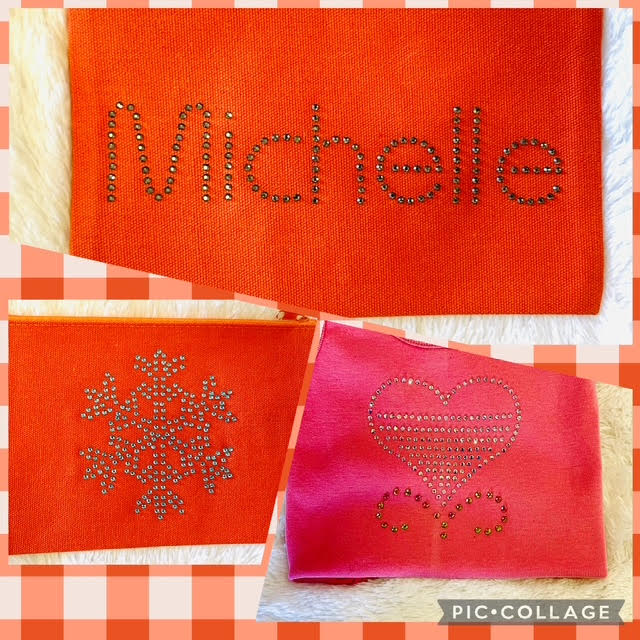
Ready to add some sparkle to your projects? In this class, you’ll learn how to create dazzling rhinestone templates using Brother Canvas Workspace software. We’ll begin by using some of those designs that came with your Rhinestone Starter Kit and then we will create a rhinestone design of our own! We will go step-by-step through the process of designing, cutting, and applying rhinestones to elevate your handmade creations.
You must have purchased and activated the Scan N Cut Rhinestone Starter kit prior to this class. You should have taken "Get to Know Your Scan N Cut" prior or be familiar with your Scan N Cut.
We will be working with the DESKTOP version of Canvas Workspace. You can download it here: https://help.brother-usa.com/app/answers/detail/a_id/161448/~/download-and-install-canvasworkspace-for-pc-%28windows-or-macos%29
What You’ll Learn
• How to set up rhinestone designs in Canvas Workspace
• Tips for sizing, spacing, and customizing templates
• Cutting techniques for rhinestone stencils with your Scan N Cut
Who This Class Is For
• Anyone with a love for sparkly things!
By the end of class, you’ll walk away with a completed rhinestone project, plus the confidence to design your own sparkling templates at home!